
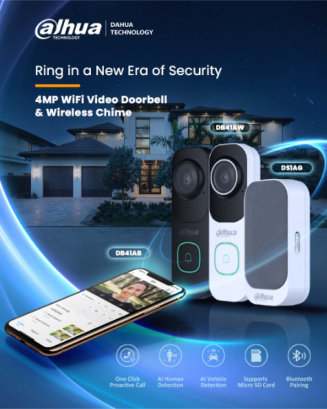
Introducing ‘Dahua Smart Wi-Fi Video Doorbell’
See. Speak. Secure. — from Anywhere.
Upgrade your home security with the Dahua Smart Doorbell, designed to give you peace of mind at your doorstep. With AI-powered human and vehicle detection, and two-way audio, you can visually confirm and communicate with visitors directly through your smartphone. — whether you’re home or away.
Smart, Secure & Stylish
Bring intelligence and protection to your front door with the Dahua Smart Doorbell — your home’s first step toward smarter security.
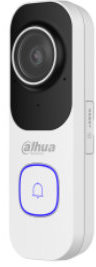
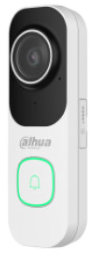
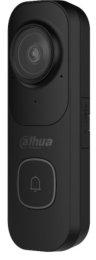
Also available in black 🙂
Key Features
4Mp Resolution
Experience crisp, detailed video with 2K QHD clarity. The DB41AW captures every visitor in vivid colour and sharp definition, even in low-light conditions.
Enhanced Night Vision
Stay protected 24/7 with intelligent infrared night vision that ensures clear visuals — day or night.
Smart Motion Detection
Equipped with AI-powered human detection, the DB41AW minimizes false alerts and notifies you instantly when someone approaches your door.
Two-Way Audio
Use the built-in microphone and speaker to communicate in real-time through the DMSS mobile app. Greet guests, guide deliveries, or deter unwanted visitors from anywhere.
Remote Access via DMSS App
Monitor your front door from your smartphone or tablet. View live video, review recordings, and receive instant notifications all in one place.
Local Storage, (no Subscription)
256Gb MicroSD card storage included for easy and secure video management.
All-Weather Design
Built to last with an IP65 weatherproof rating, the doorbell performs reliably in rain, heat, or cold.
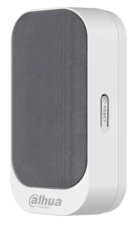
The Wireless Chime is an indoor device that chimes when your video
doorbell is pressed. Through the DMSS app, the ringtones and volume
can be customized to your ideal settings and it can be paired with either
of the two of Dahua video doorbells.
Highly convenient, it can
also be bound to multiple video doorbells at the same time, so you
can place multiple Wireless Chime around your home to always hear
whenever someone presses your video doorbell. Whether you’re in the
kitchen, office or bedroom, you’ll never miss a thing if your phone is out
of reach.
£39.99 each
Doorbells are available as either DIY (do-it-yourself) products or professionally installed units. Both types require a permanent power source for operation.
DIY £150.00
Installed £180.00
Including 256Mb SD Card, 12v inline power supply
See this in action at our showroom every Monday, Friday & Saturdays between (10:00-13:00Hrs)
How to pair, (connect) the doorbell to the DMSS app
1st the doorbell has to be powered… .. .
The Doorbell can be powered by either 12-24vDC or USB. When the doorbell first powers on, the LED around the call button will go red to indicate that the doorbell is booting up. When the doorbell starts flashing green, it is ready to be added to the DMSS app
Connection
When the light around the call button on the Doorbell starts flashing green then it is ready to add to the DMSS app. Two criteria are required to add the doorbell.
- You need a Dahua DMSS account (This can be created on the app)
- Bluetooth enabled on your mobile (Used to push the Wi-Fi Settings)
Scan the QR code on the back of the unit to add it to the app. If successful, you will be sent to configure some basic settings on the app for the doorbell.
The next screens after this will have you enter the Wi-Fi password for the network you want the doorbell to be on and to set a username/password for the Doorbell which will be used if you want to add the doorbell stream to a recorder.
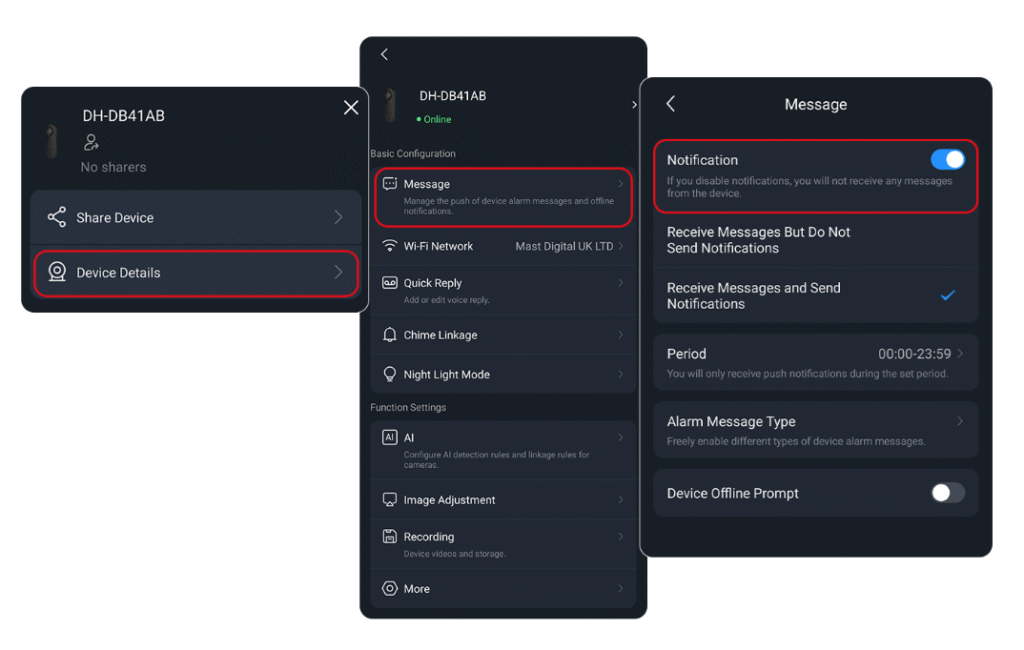
The doorbell should now be added to the DMSS homepage. To receive notifications when the button is pressed, go to device details on your Device => Message => Enable notification. When notification is on, you will receive calls through to your phone
AI
The DB41A series can utilise SMD to detect human/vehicle form meaning that you can receive notifications that someone is at your door whether they pressed the button or not giving you extra coverage, footage and alerts whenever someone is approaching your door
Set Up
Set up for the AI is super simple and is all done on the DMSS app:
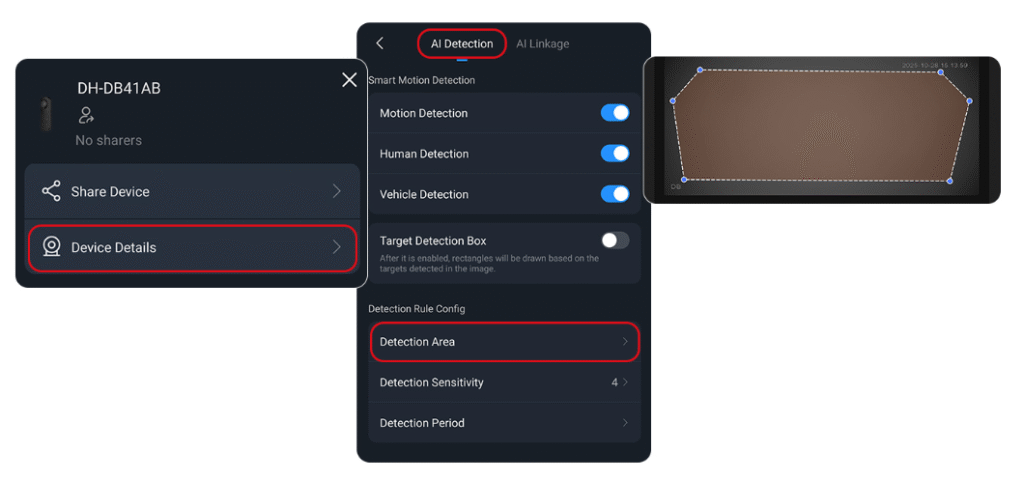
Selecting Device details from DMSS will send you to the settings page, Scroll down to find “AI” under the Function setting.
On the AI menu settings, you can choose whether you want AI to trigger on human, vehicle, or general motion. Once you’ve chosen your triggers, select “Detection Area” which will allow you to click and drag the detection area to suit the scene
Chime Linkage
The DB41A series can also be paired with a wireless chime which is super easy to set up. You can scan the wireless chime onto the same DMSS account similar to how the Doorbell was added. When both devices are on your DMSS account, you have to link the Doorbell to the chime.
This can be done under device details on the doorbell. When you are in the setting, scroll down under you find “Chime Linkage” under “Basic Configuration” Your chime should appear undet this menu. Select the chime you want to pair with your Doorbell and save.