
IVS in CCTV stands for Intelligent Video Surveillance. It refers to smart video analytics built into many modern CCTV cameras or recorders that can detect specific events automatically, rather than just recording video.
Instead of simple motion detection, IVS allows the camera to analyse behaviour and trigger alerts based on rules you set.
Typical IVS features include:
Tripwire detection – triggers when a person or vehicle crosses a virtual line.
Intrusion detection – alerts when someone enters a defined area.
Object left detection – identifies unattended objects.
Object removal detection – alerts if something is taken away.
Face detection – recognises when a human face appears.
Vehicle / human classification – reduces false alarms from animals, rain, or shadows.
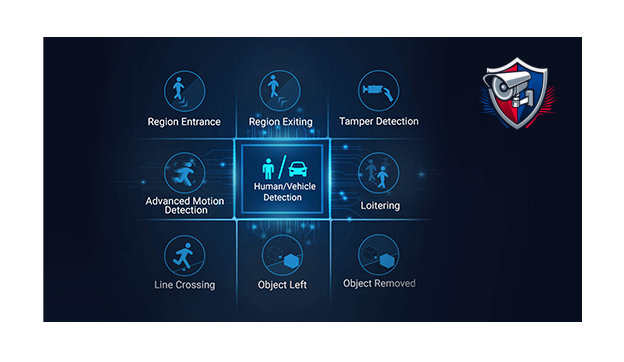
“Below are some of the most widely used IVS functions.”
Tripwire Detection
One of the most popular and reliable IVS rules.
A virtual line is drawn across an entrance, path, gate, or driveway. The system triggers an alert when a person or vehicle crosses the line in a chosen direction.
Best uses:
Driveways
Gates
Side access paths
Building entrances
Perimeter fences
Why it works well: it only triggers when someone crosses the line, which greatly reduces alerts from moving trees, shadows, or rain.
Configure by Recorder
Configure by Web Browser
Intrusion Detection
This creates a protected zone inside the camera view. An alert is triggered when someone enters or remains in that area for a set time.
Best uses:
Gardens or yards at night
Storage areas
Car parks
Warehouses
Restricted areas
You can often set loitering time, so the alarm only triggers if someone stays in the zone.
Configure by Recorder
Configure by Web Browser
Face Detection within Intelligent Video Surveillance (IVS) is a CCTV feature that automatically detects when a human face appears in the camera’s view and records or triggers an alert.
Unlike standard motion detection, the camera specifically looks for facial features, which makes it far more accurate when identifying people.
How Face Detection Works
When the camera sees a face it can:
Mark the event in the recording timeline
Capture a snapshot of the face
Send a notification to a mobile app
Store the face in a searchable database (on some systems)
This makes it easy to quickly find footage of people rather than scrolling through hours of video.
NOTE THIS IS NOT ‘Facial Recognition’