
Something we hear a lot, but is it the internet or the Wi-Fi?
——–
How it works ‘in layman terms’… .. .
The internet signal comes into the house normally via a cable and plugs into your router, the router then distributes the internet in 2 ways.
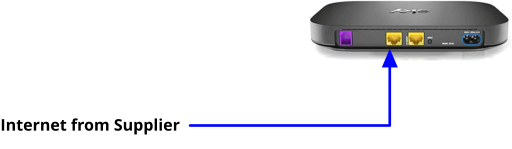
Despite that, both do the same thing however there is a big difference between the two.
1st being a cable via the LAN, (Local Area Network) a yellow port on the back of the router.
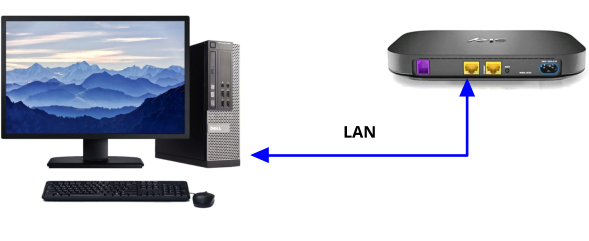
2nd is WLAN, (Wireless Local Area Network) commonly known as Wi-Fi.

Most common reasons why your internet is rubbish via Wi-Fi
Your router converts the internet signal from your ISP supplier into radio signals, which then broadcast these signals across a defined range which is limited due to obstacles: Let’s explore some of the most common culprits that could be causing your internet troubles… .. .
Physical Barriers
Your router sends out signals like a radio station, but sometimes those signals hit a few bumps in the road. Thick walls (like concrete or brick) can really absorb those signals, while metal structures (think metal doors or appliances) can block them entirely. Even mirrors and those fancy glass windows with metal coatings can put a little dampener on your connection.
Electrical Interference
Here’s something you might not think about—your microwave! 🍕 It operates on similar frequencies to many Wi-Fi networks, which can cause some interference. Plus, your trusty cordless phone and baby monitor might also add to the chaos. Even Bluetooth devices can sneak into the mix and create a bit of a ruckus.
Distance from the Router
Just like trying to hear someone from far away, the farther you are from your router, the weaker the signal becomes. Some spots in your home might even become “dead zones” where Wi-Fi is practically non-existent. Yikes!
Network Overload
Do you have a lot of devices running at once? Too many devices connected to the same network can slow things down. And if you’re streaming your favourite show in 4K or connecting for a video call, those can gobble up a lot of bandwidth too!
Wi-Fi Interference from Other Networks
If you live in an apartment or a busy neighbourhood, you might be competing with neighbouring Wi-Fi networks. Sometimes those overlapping channels can create congestion, making it tough for your connection to shine.
Router Placement
Where you put your router matters! If it’s tucked away behind furniture or on the floor, it might not reach the corners of your home very well. Placing it in a central spot can work wonders for coverage!
Outdated Hardware or Firmware
If your router is older than a few years, you might find that it doesn’t keep up with newer standards. Upgrading to a newer router (like Wi-Fi 6) can make a big difference. And don’t forget to check for firmware updates—they can help improve performance and security too!
A typical example of a normal router/Wi-Fi setup
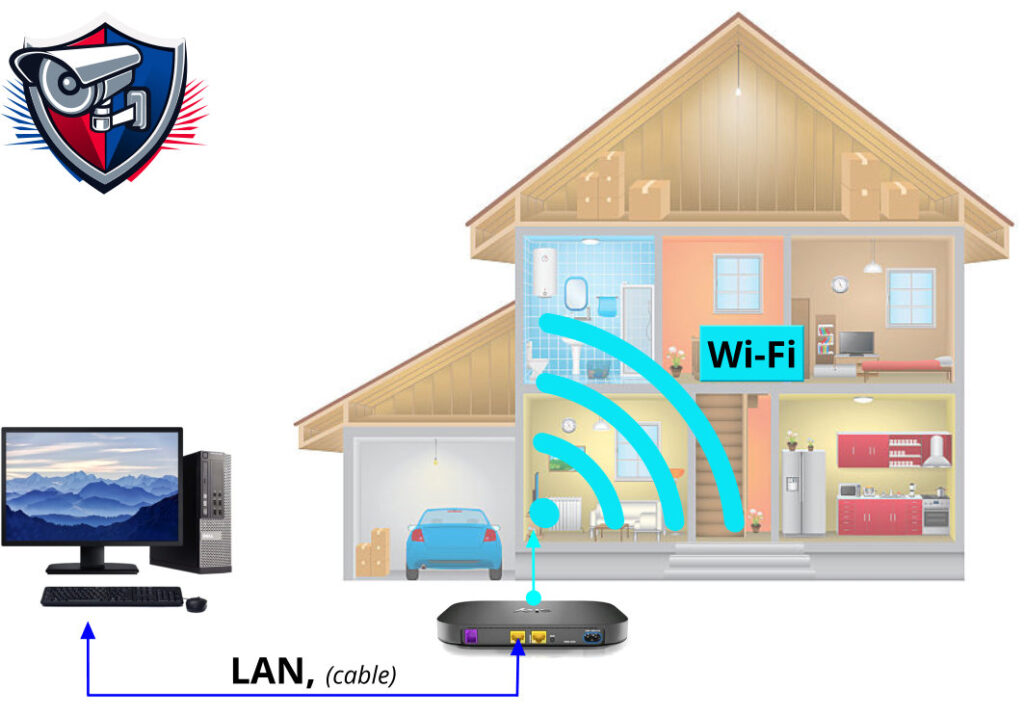
With an AP, (Access Point) installed
