
Please note that we are not a nationwide support helpline and can only provide assistance to our existing customers.
However, please feel free to browse our help sections, where you will find useful guides, videos and information that may help you with your SmartPSS lite requirements.
SmartPSS Lite is a useful CCTV management application, particularly for users who need to monitor and review Dahua / SPRO CCTV systems from a Windows PC.
The software provides a straightforward way to view multiple cameras at the same time, search recorded footage and export video when required. The playback function is particularly useful when investigating incidents, as footage can be searched by camera and date/time and then saved for evidence or sharing.
Download here from Dahua website, (Mac or Windows OS).
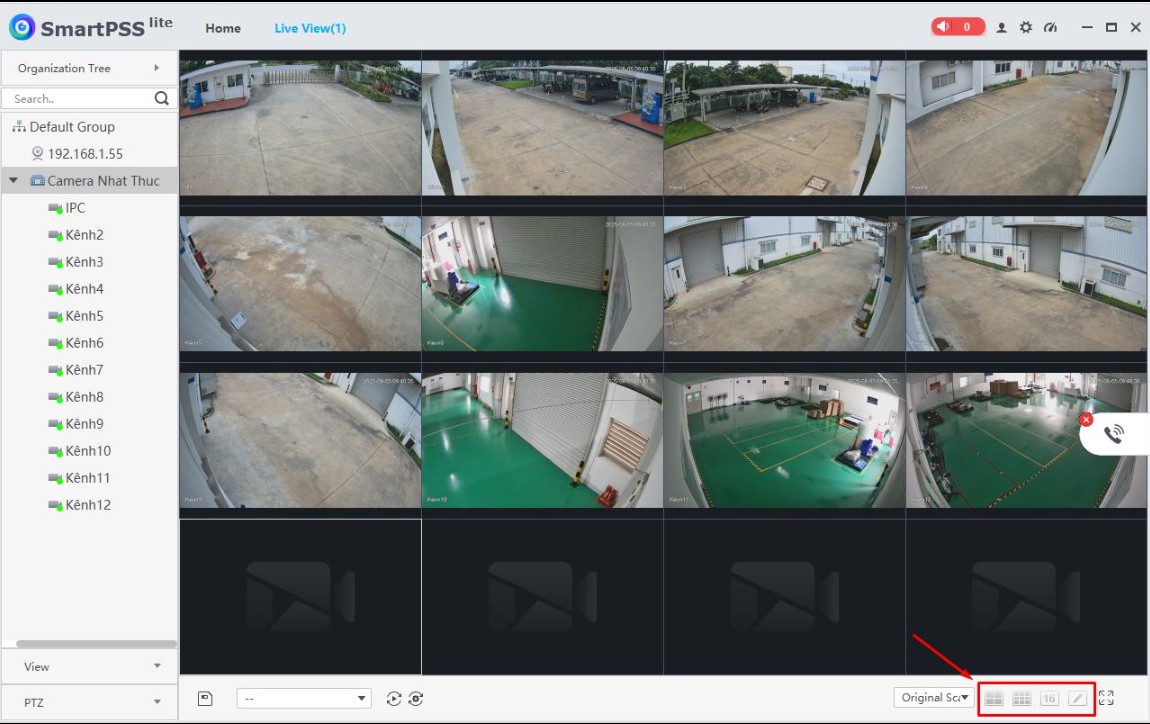
SmartPSS Lite can be used to:
📹 View live footage from cameras
▶️ Playback recorded footage
💾 Download/export recordings to the computer
📸 Take snapshots
🔍 Search footage by date and time
🖥️ View multiple cameras simultaneously
🔊 Access audio where cameras support it
🎥 Control PTZ cameras where applicable
👥 Manage multiple CCTV recorders/sites from one computer
🔔 View certain alarms/events generated by the CCTV system
Below are some helpful files and guides to assist you with SmartPSS Lite. We are continually adding new information and resources to this page, so please keep checking back for the latest updates.
Overall
For anyone operating a Dahua / SPRO CCTV system, SmartPSS Lite is a very useful piece of software. It isn’t the most modern-looking CCTV application, but it provides the key functions needed for live monitoring, playback and exporting evidence.
Recommended for: Security teams, businesses, CCTV operators and anyone who needs reliable PC-based access to a Dahua CCTV system.